Get in touch with Dreamland Playground Company

Indoor playground software must process the awkward visit. A birthday party arrives early. A member brings a paying sibling. The parent adds food to the tab at the cafe. Choose a system by revealing what happens to each reservation, payment and admission record. The booking screen tells you little about the work the front desk needs to do after an order is changed.
For an owner replacing several tools, the purchase decision is about migration and staff workload. For a new venue, it’s the services sold. The seven checks below define those needs and convert them to a demonstration brief and comparable quote.
Indoor playground software connects bookings, sales and guest entitlements. Choose it by testing shared capacity, refunds and data transfers, then compare quotes with the same scope. Customer profiles alone do not prove those connections work.
Key buying points
- Imported waiver records may arrive without the original signatures.
- A party room and a shared play session in a busy indoor playground need separate booking rules.
- Processing fees and platform usage fees belong on separate quote lines.
- Successful sample imports still need record and balance reconciliation.
Connect the records that control a family visit
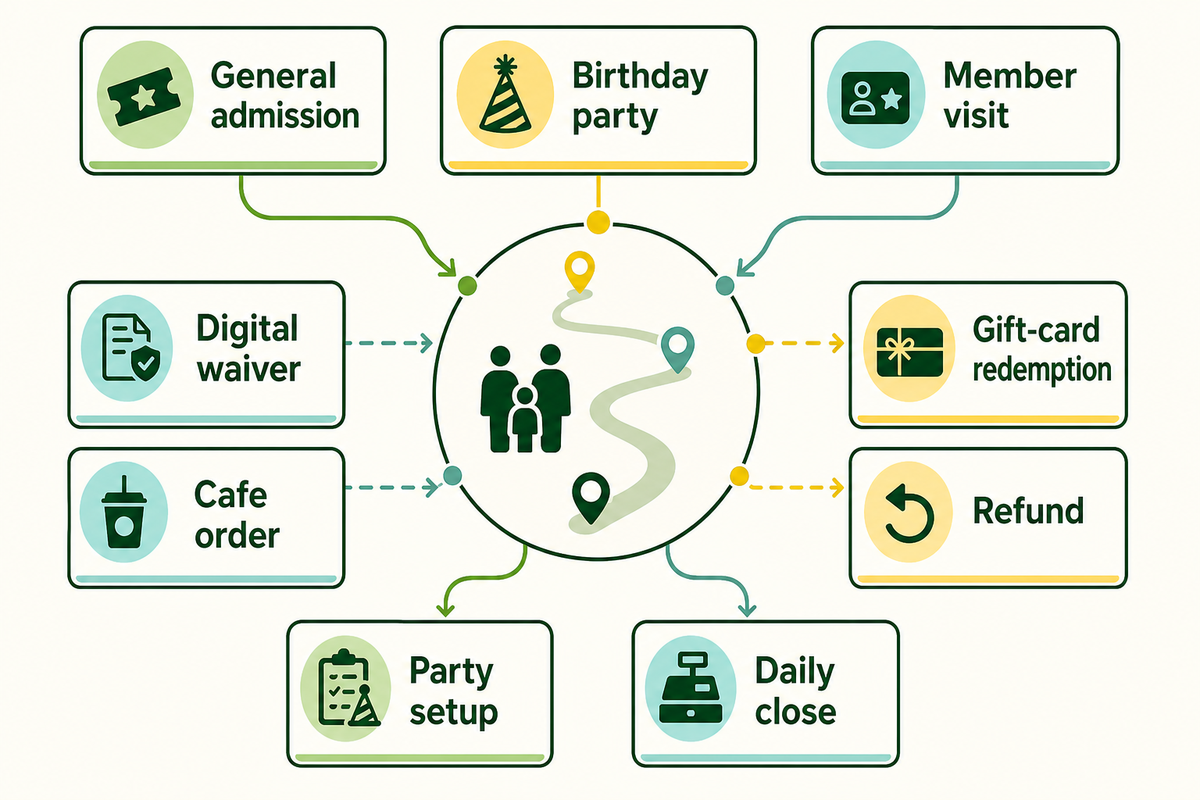
Software scope for a commercial playground should cover the records that change during a visit. Admission decreases available places. A party reserves a room. A payment changes the amount owed. Assigning each record an owner and a failure check helps you decide what modules to buy. A shared customer profile doesn’t establish those relationships.
How does indoor playground software work?
Indoor playground software connects a guest or household to the bookings, purchases and entitlement records. Staff uses the records to check in guests, apply membership benefits and collect balances. The connection can be within a single system or via integration between systems. The vendor must prove the connection for your venue.
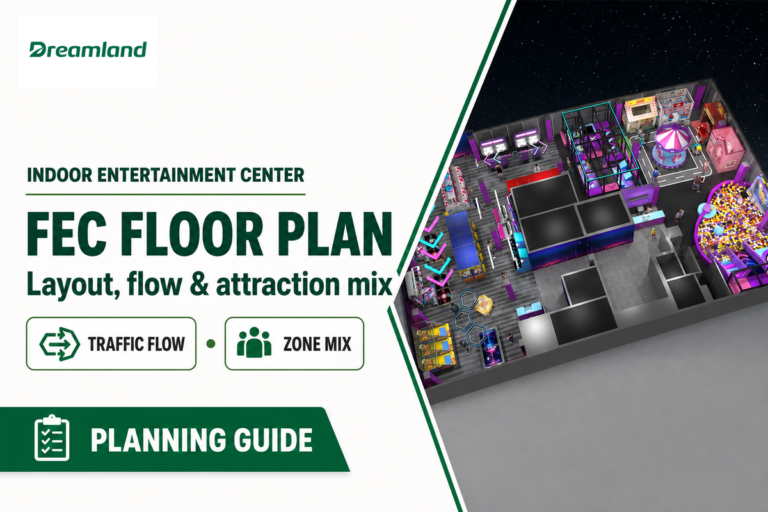
Let’s start with a family entertainment venue’s floor plan. Add guest flow and service points and find bottlenecks for staff, like at indoor play cafes, where issues may occur at the reception, a party room, or the kitchen. For commercial indoor playground operators, the play space, and its associated sales channels, require the same resource definitions.
| Transaction type | Limiting record | Owner and proof | Limitations / Not suitable for |
|---|---|---|---|
| General admission | Places in the selected session | Front desk: remaining places after sale | A guest count without a session boundary |
| Birthday party | Room plus admission allocation | Party lead: both reservations visible | Room reservation that omits shared play capacity |
| Party setup | Room preparation interval | Party lead: next booking cannot overlap the agreed interval | A room calendar that ignores preparation |
| Member visit | Active entitlement and guest allowance | Reception: eligible and ineligible examples | A customer tag treated as a paid membership |
| Digital waiver | Signer, participant and required record | Manager: correct adult-to-child association | A name imported without required evidence |
| Cafe order | Order, modifiers and fulfillment status | Cafe lead: modified order reaches the right queue | A payment total without the ordered items |
| Gift-card redemption | Remaining stored value | Finance: opening, redeemed and closing balance | A card number without its balance |
| Refund | Payment and booking status | Supervisor: refund and capacity consequences | Refund assumed to cancel admission automatically |
| Daily close | Sales, refunds, deposits and settlement | Finance: documented reconciliation | One sales total treated as cash received |
When a vendor claims their platform is all-in-one, ask which component requires an integration with another app. In a simulated booking for 8 children, the room reservation and the 8 admission places are separate checks. Exclusive access to a room may be combined with shared access to other resources of the play area. For bookings made through a different sales channel, ask what “real-time” means and demonstrate that.
Choose an integrated platform or connected specialist tools
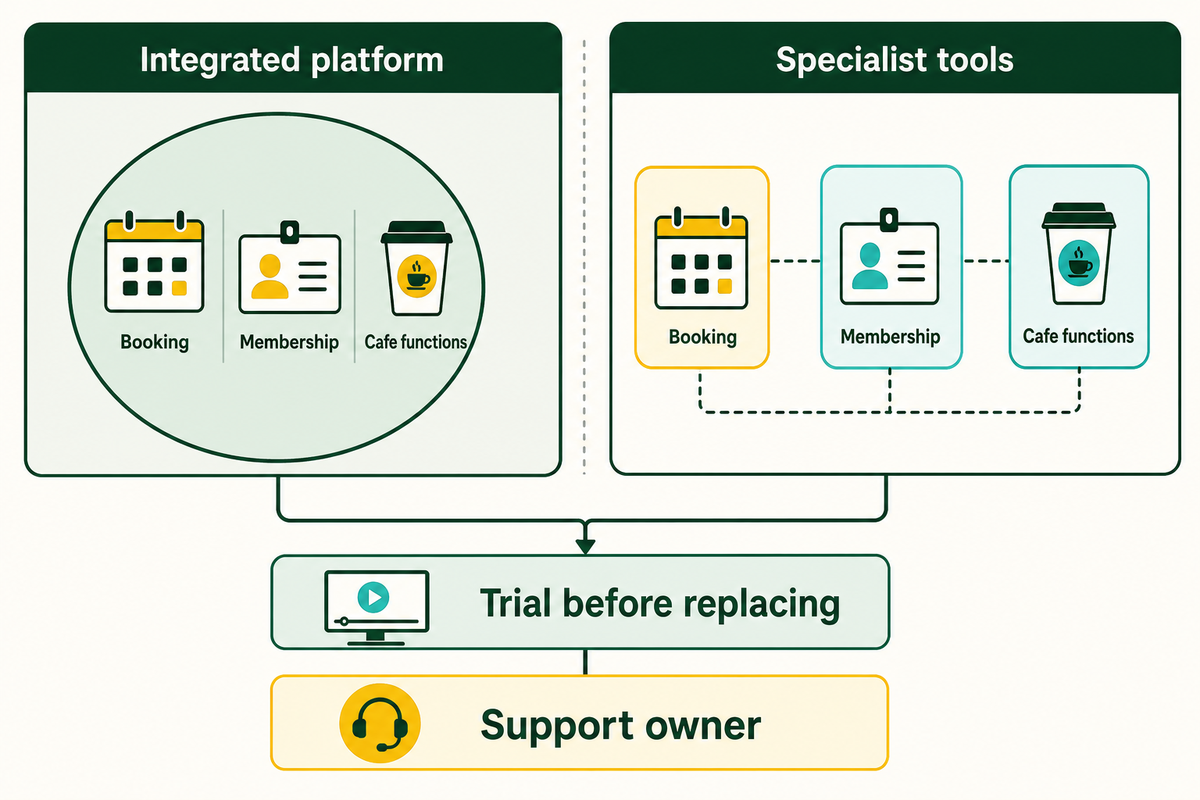
An integrated platform may be a reasonable option if its booking, membership and cafe functions cover the venue’s requirements and one support team owns handoffs. Specialist tools may deserve a trial if the functions gained justify the integration work. Compare the integration work to the functions gained, and say who will be responsible for maintaining the connection.
The UK Government Digital Service’s technology purchasing guidance suggests assessing the existing technology and capacity to manage one or more suppliers. Its guidance to trial includes integration with existing technology. These are helpful methods for purchasing technology; government contracting rules aren’t requirements for a private playground.
Suppose that a play café already has a reliable ingredient-level inventory and manually enters party orders to its POS. Replacing the cafe system could eliminate the manual entry of party orders but could also lose a function that the cafe manager relies on. Demonstrate a party food order with an item substitution, then change the order and refund it. Analyze staff actions in both the setups demonstrated.
When not to buy a replacement suite
Keep the current systems in use when the new systems can’t handle a critical workflow and a workaround would become a daily process. A promise of integrations is of no value when nobody is accountable for failed updates, duplicate orders, or changed item codes. The government guidance on the purchase of technology also states that modifying technology or using workarounds can increase the total cost of ownership and can make the technology harder to maintain. See if a configuration is available to solve the problem, before commissioning customization. If you customize a connection, ensure maintenance of the connection after software updates is included in the scope.
Finance should challenge any labor-saving estimate. If an illustrative change saves 20 staff-hours per month at $20 per hour, the monthly capacity value is $400. Cash savings would occur only if paid staff hours were actually reduced. Redeploying staff can still be valuable, but a different business case is needed. Record the work that was removed and the work that was added, including reconciliation and support.
Compare the 20-hour estimate to a normal week’s task log before signing. If the supplier can’t show the workflow, don’t take the savings into the approval calculation. Choose the architecture after the trial, and appoint a person to be responsible for each interface. A profitable indoor venue needs the work reduction to survive the daily use; adding a modular software package doesn’t prove that result.
Run the Shared-Session Acceptance Test
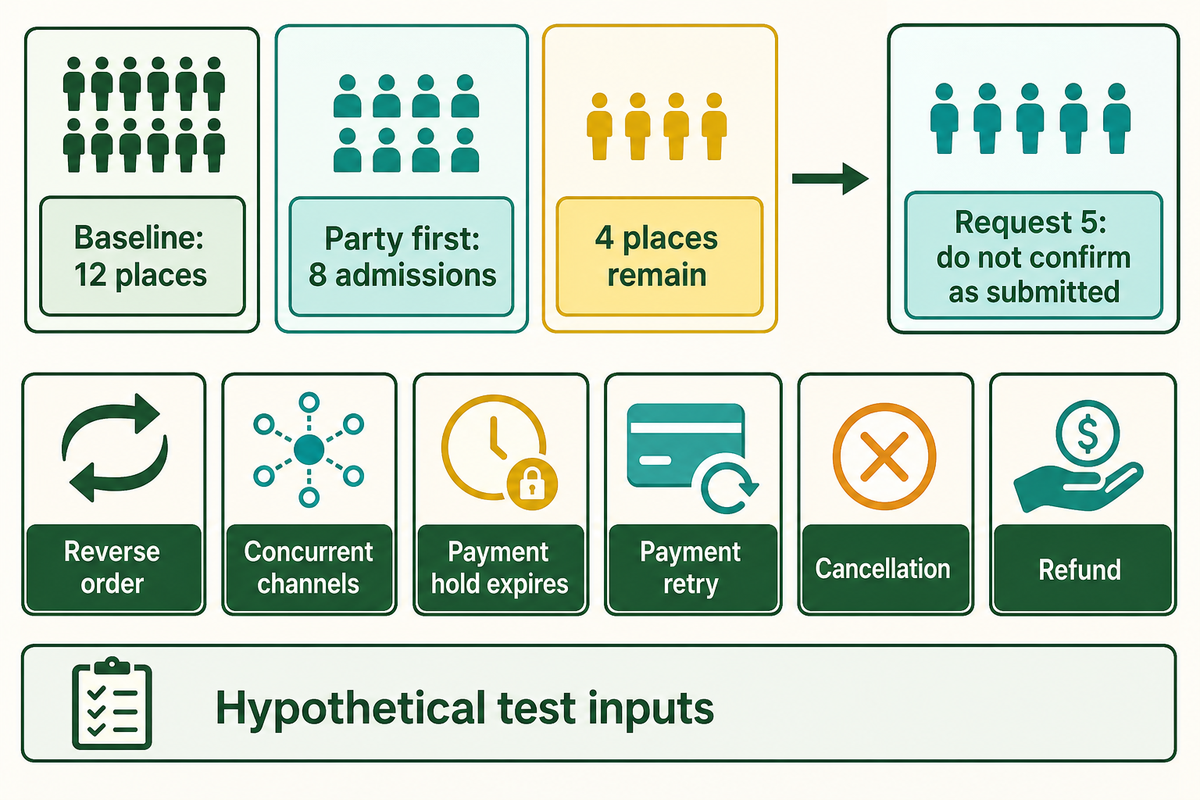
The Shared-Session Acceptance Test checks whether the proposed setup treats online sales and counter sales as claims on the same available places. Use a test environment and reset the starting records between runs. Passing the demonstrated cases supports the acceptance of that configuration. However, it doesn’t prove that every case in production will behave correctly.
Documentation from ROLLER shows how to identify exclusive single-booking resources from capacity-shared resources. That information informs the test, but doesn’t define concurrency behavior. Ask the vendor to show you how their rules govern and automate allocation rather than relying on staff to catch a conflict. NIST’s 2007 concurrent-program testing research analyzes different synchronization sequences. Simple sequences of completed sales can’t account for all possible overlaps.
Set up a fictional session with 12 available test places. Configure a session to have a party take 8 places, and leave 4 places. A walk-in request for 5 shouldn’t be confirmed unchanged against those same places. Use approved rules to determine venue occupancy. These test numbers are just examples.
| Case | Input or action | Expected evidence | Limitations / Not suitable for |
|---|---|---|---|
| Baseline | Reset to 12 available places | Session and resource IDs recorded | Unexplained starting reservations |
| Party first | Confirm 8 party admissions | 4 places remain | Party uses a different capacity pool |
| Oversized walk-in | Request 5 after the party | No unchanged confirmation against 4 places | Staff override left enabled without review |
| Reverse order | Reset; sell 5 walk-ins, request party of 8 | 7 remain before the party request | Different session used for the second order |
| Concurrent channels | With 4 left, submit two requests for 4 together | No combined confirmation above 4; timestamps retained | Sequential clicks presented as simultaneous testing |
| Payment hold expires | Leave a test payment unfinished | Places follow the agreed expiry rule | No documented hold duration |
| Payment retry | Retry the same interrupted purchase | No unintended duplicate booking or charge | Test repeated as a separate intended purchase |
| Cancellation | Cancel a confirmed test booking | Capacity follows the agreed cancellation rule | Cancellation assumed to refund automatically |
| Refund | Refund the chosen test transaction | Payment and admission states match the agreed rule | Refund receipt alone used as full proof |
Ask the supplier to save a record of the order IDs and payment status, maintain the totals of resources allocated, and take screenshots of the resources for each run. Repeat the case after the supplier changes their configuration. For the concurrent case of 4 places, show how the attempts overlapped; an arithmetic demonstration with 12 places doesn’t guarantee protection from race conditions.
Shortlist vendors using published capabilities
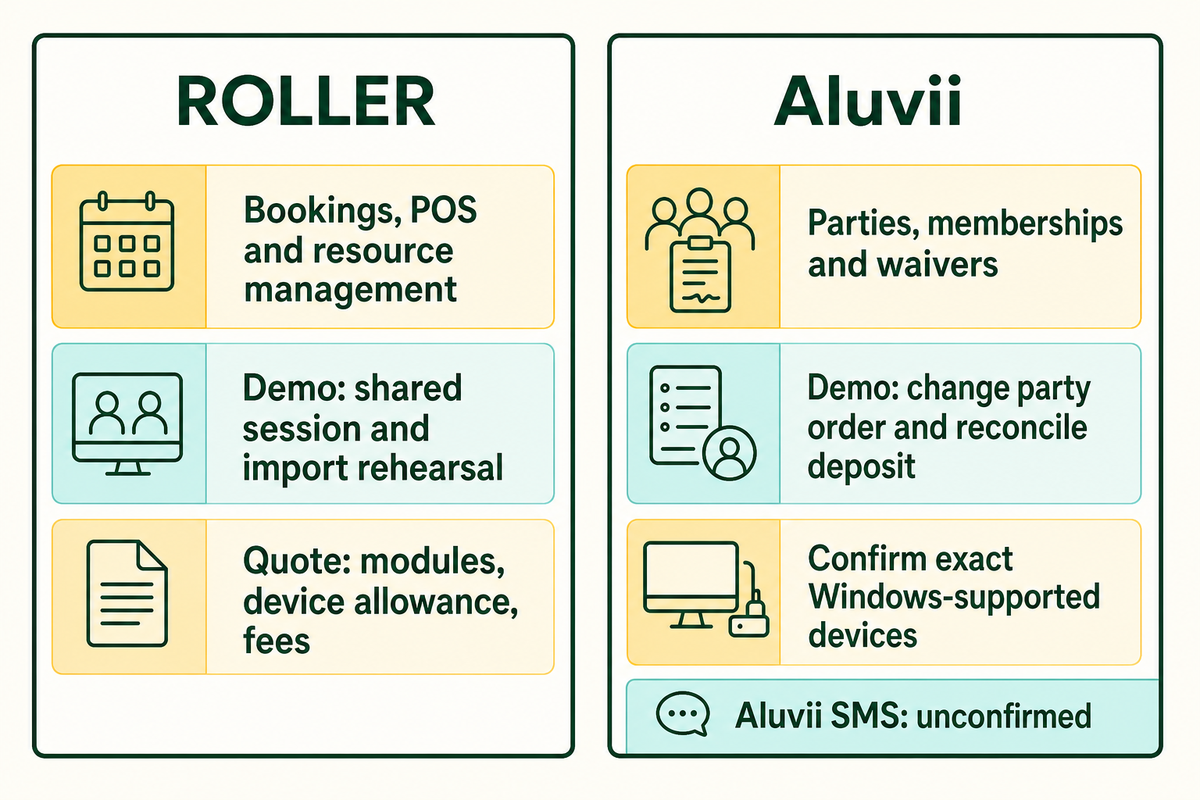
Shortlist potential suppliers based on playground industry workflows they demonstrate. Features, usually published, help build this list. A demonstration and written scope show what’s included. Examples in this document are from vendor descriptions reviewed in October 2026. These don’t indicate, and aren’t intended to show, that a given supplier fits every venue.
Which indoor playground software is best?
The best indoor playground software for a particular venue is the option that performs its required functions for an acceptable total cost and migration risk. A party-centered venue may be most concerned with handling room allocation and deposits, while a member-centered venue may be most concerned with renewing and honoring member benefits. Ask shortlisted vendors to perform the same examples instead of comparing different sales demonstrations.
| Example supplier | Published starting point | Demonstration request | Buying boundary |
|---|---|---|---|
| ROLLER | Bookings, POS and resource management described in its product and support material | Shared-session test, recurring membership exception and import rehearsal | Confirm modules, device allowance, fees and migration scope in the quote |
| Aluvii | Indoor-playground page describes parties, deposits, memberships, waivers and food-and-beverage functions | Change a party order, apply a membership benefit and reconcile its deposit | Its page says peripheral devices are supported with Windows; confirm the exact devices |
Aluvii’s website states that SMS is upcoming and, elsewhere in the copy, available. Therefore, for the purposes of this report, SMS hasn’t been confirmed as a capability. If you require reminders as part of your plan, request a working demonstration and written entitlements. The same treatment applies to a feature accessible only through a different subscription.
Bring the same 12 place demo and the same 2 register quote scope to each supplier. Vendors that can’t show one critical workflow need a written remedy before selection. An equipment supplier’s recommendation doesn’t show a software vendor’s support, integration or contractual obligations. A high-quality demonstration follows a changed order through to reconciliation rather than stopping at payment for entertainment centers with multiple sales points.
Compare quotes and migration on the same basis
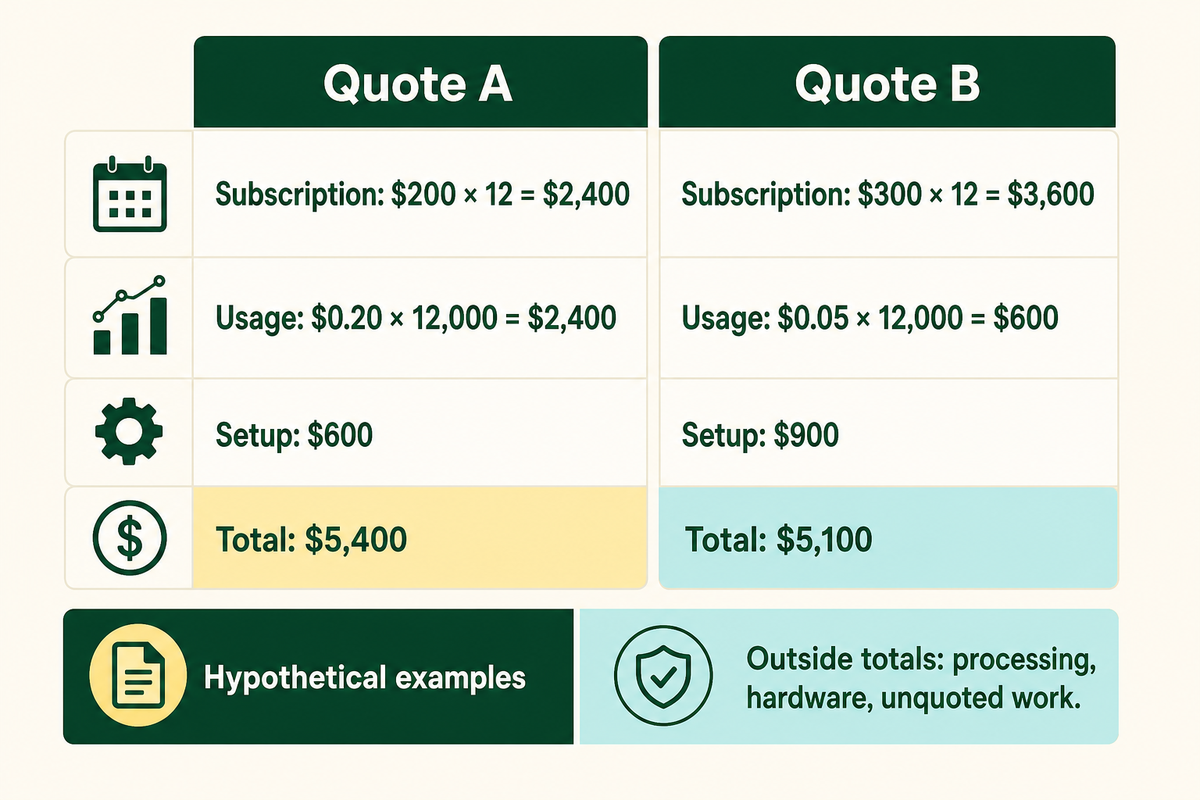
Comparable software quotes must be for the same number of venues, registers, modules, and service terms and transaction assumptions. Separate subscription charges from usage charges, payment processing, implementation, and migration services. Lower monthly subscription costs can increase total costs at the expected usage volume, and a lower first-year cost can mean some or all of the migration work is outside the agreement.
According to the publicly available information, ROLLER distinguishes platform use fees from payment processing fees and lists an implementation package separately. The information reviewed doesn’t provide a fixed subscription price. Requests for quotation should be aligned with the assumptions in your indoor playground business plan.
Same-Scope Quote and Migration Sheet: assume 1 venue, 2 registers, identical modules, 12 months and 12,000 charged transactions. Both examples are based on one year (12 months) and 12,000 charged transactions. Both examples exclude processing and hardware on the same basis.
| First-year software cost | Quote A | Quote B |
|---|---|---|
| Subscription | $200 × 12 = $2,400 | $300 × 12 = $3,600 |
| Usage | $0.20 × 12,000 = $2,400 | $0.05 × 12,000 = $600 |
| Setup | $600 | $900 |
| Total under stated assumptions | $5,400 | $5,100 |
| Outside both totals | Processing, hardware and any unquoted work | Processing, hardware and any unquoted work |
In the example provided, Quote B is $300 less, despite a higher monthly subscription amount. Transaction volume can impact the total amount. Ask what counts as a charged transaction, whether refunds reverse usage fees, and which additional venues or registers would cause fees to increase. If a quote includes a line item for processing fees, don’t also count those processing fees in a separate line item.
Provide the same scope as examples in your request for quotation and fill in your requirements.
RFQ checklist: quote the same operating scope
| Parameter | Recommended range | Why it matters | How to verify |
|---|---|---|---|
| Venue and register scope | Example: 1 venue, 2 registers | Device and location charges vary by agreement | List included devices and extra-device price |
| Billing period | Example: 12 months | Monthly and annual commitments differ | Check renewal and cancellation terms |
| Charged volume | Example: 12,000 transactions/year | Usage changes total cost | Define transaction and refund treatment |
| Migration objects | All agreed future bookings and balances | Guest records alone omit liabilities | Price each object and acceptance report |
| Implementation support | Named scope, hours and opening coverage | Unassigned work returns to venue staff | Attach deliverables and escalation contact |
| Exit exports | Agreed records and usable formats | Future moves need retrievable data | Demonstrate an export and disclose fees |
With only $300 difference in the examples, one unresolved migration task may be more important to the owner than the displayed subscription price. Require the supplier to identify excluded transfer work before approval. The $5,100 option wins the arithmetic only under the common 12-month scope; it hasn’t yet won the operational trial.
Reconcile data before the switch
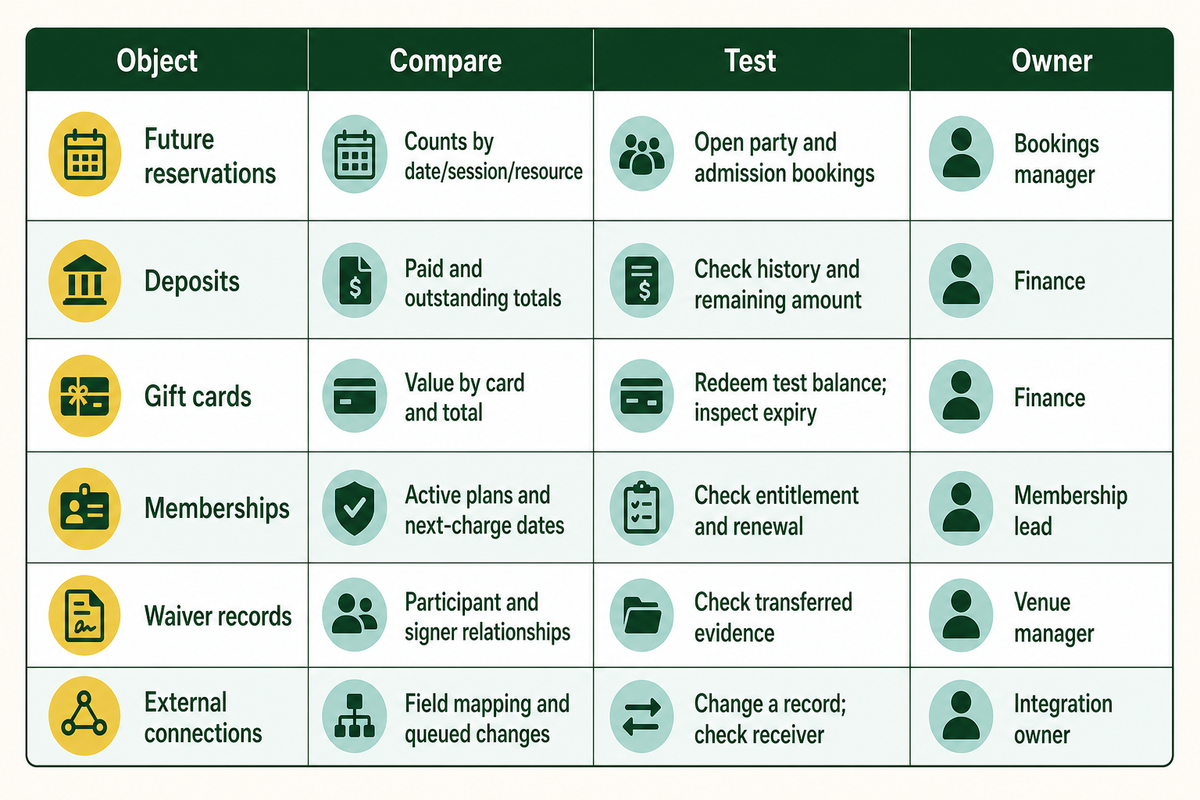
Migration acceptance should compare what the old system owed and promised to what the new system can fulfill. Check future reservations, deposits, stored value, and recurring memberships as separate objects. Record counts can show omissions; financial totals and select record checks show different issues. An upload is just one part of acceptance.
The US Government Accountability Office’s 2024 financial-system transition audit recommends comparing new and legacy output reports, tracing data to auditable sources where feasible, and planning post-launch data-quality work. That’s evidence for the reconciliation method, not a playground migration benchmark. Apply the method to the objects in your own agreement.
ROLLER’s import warnings provide a helpful example of scope limits. Booking import, for example, doesn’t include non-ticket items or party packages that contain non-ticket items. Gift cards have a different import process, so this example doesn’t mean gift cards won’t migrate. Import warnings for signed waivers state the imported data doesn’t include signatures and recommend collecting a new waiver. Don’t assume an imported name is the complete document.
| Object | Old-to-new comparison | Record-level check | Exception owner |
|---|---|---|---|
| Future reservations | Counts by date, session and resource | Open a party and a general-admission booking | Bookings manager |
| Deposits | Paid and outstanding totals | Check payment history and remaining amount | Finance |
| Gift cards | Outstanding value by card and total | Redeem a test balance and inspect expiry | Finance |
| Memberships | Active plans and next-charge dates | Check entitlement and renewal exception | Membership lead |
| Waiver records | Agreed participant and signer relationships | Confirm what evidence transferred and what must be recollected | Venue manager |
| External connections | Agreed field mapping and queued changes | Change a record and check the receiving system | Named integration owner |
For a hypothetical transfer, suppose the old gift-card report totals $2,000 and the new report totals $1,950. Record the $50 difference, identify the affected card and test the correction. Do not adjust the old balance report to make the totals agree. Reconcile both the full monetary total and the corrected individual record.
Migrating a guest’s saved payment details deserves a separate plan. ROLLER describes provider coordination for recurring payment migration; a guest CSV doesn’t ensure a saved-card token can be reused. Confirm the receiving processor’s route and fees, and plan for the guest providing payment details again if needed. Plan communications and don’t place card details in an ordinary spreadsheet.
Run the rehearsal before the final data cut and account for bookings and changes made after the rehearsal. Keep unresolved exceptions with owners and deadlines. Documented cosmetic discrepancies may be scheduled for after go live. An unexplained $50 stored value difference needs an explicit acceptance decision and remedy before the balances are relied on.
Keep venue software separate from interactive play equipment
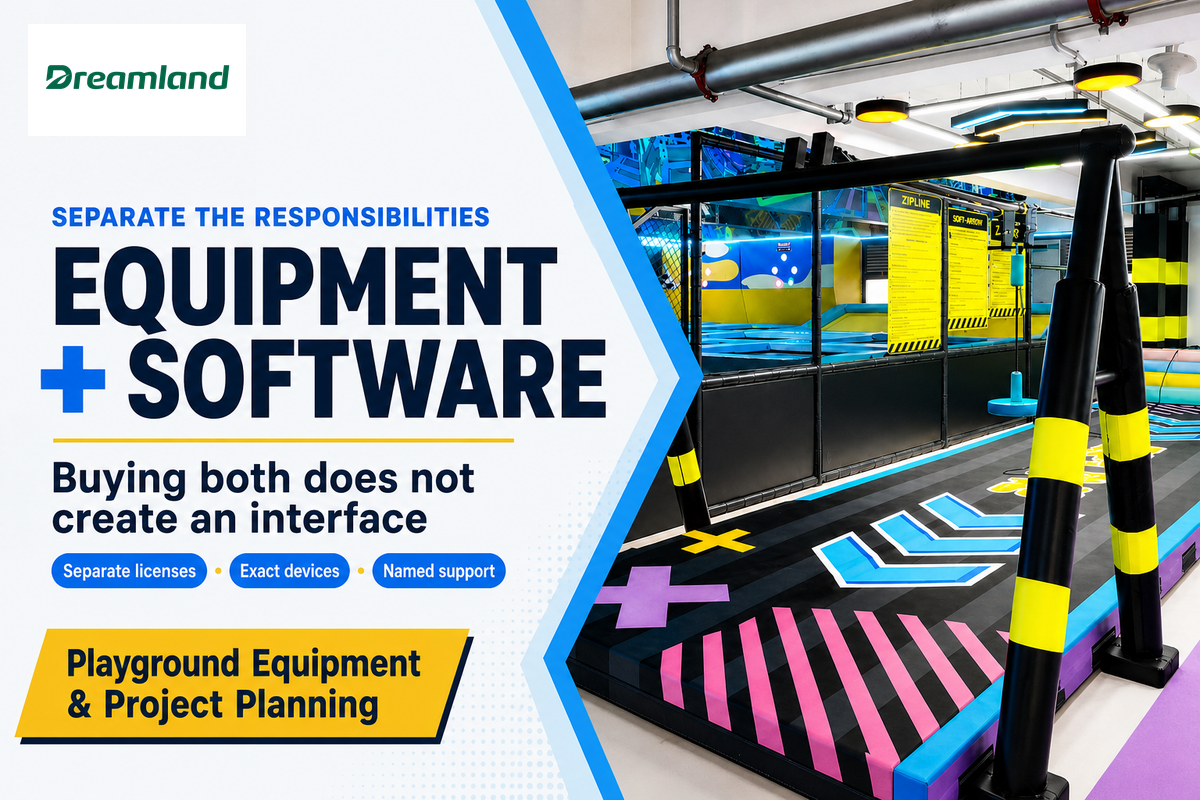
The responsibilities of venue management software and attraction software differ. While a booking system manages visits and transactions, an interactive game interprets play. Purchasing both won’t set up an interface between the two. Evaluate each license, device requirement and support owner separately for the project brief before assuming one purchase covers the other.
A sensory projection activity may require a sensor and a game content license. Soft play, a trampoline area or an arcade can also create separate operational requirements. For interactive tech, ask if the booking record alters anything on the attraction, or if staff only let the guest in. Who collects participant information while children play?
Dreamland’s equipment project services concern the physical venue and playground equipment. For an upgrade, ascertain the software connection with the software supplier separately. One booking for 8 children won’t, by itself, set up 8 game credits or access rights on a different system.
Prepare launch and hand over exceptions
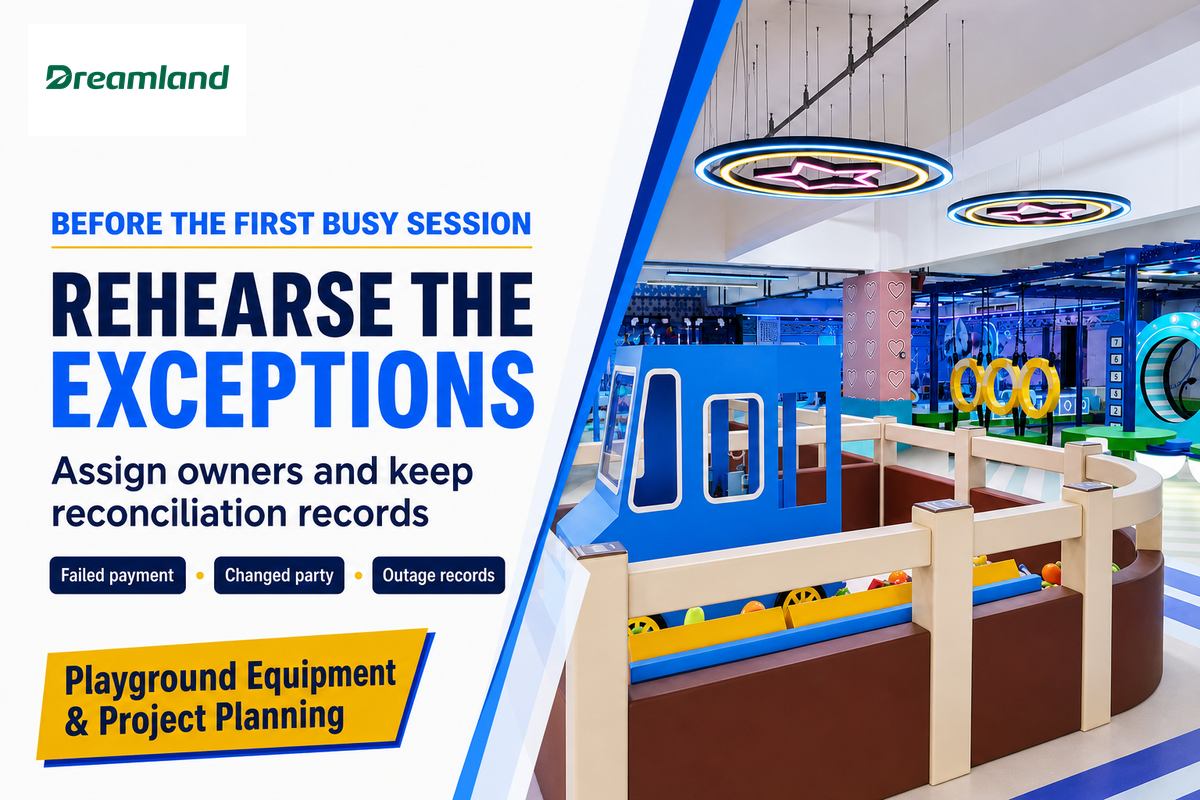
The launch plan should name who will resolve each failed booking, payment or entitlement check. Staff should agree how to work during an outage, which records to keep and how to reconcile those records afterward. Time should be allotted to practice exceptional cases since normal sales demonstrations don’t cover the volume of activities required to open the facility.
Record whether online checkout embeds a payment form or redirects to a processor. The February 2025 PCI Security Standards Council guidance distinguishes these deployments for a particular payment-page eligibility criterion. Confirm with the provider and acquirer about responsibilities for implementation and validation for the selected option.
“Merchants should work closely with their TPSPs to obtain guidance about how to implement the TPSP’s solution securely.”
Access and retention should also be included in the handover. The Federal Trade Commission’s business information security guide recommends limiting access to only those with a business need to know and placing security expectations in contracts with vendors. Tailor access to each role’s work; document who submits children’s details and where the information goes. Make sure details are collected only for the purposes for which they’re required. Membership and email marketing functions don’t require collecting all optional data elements.
Practice one incomplete payment, one changed party and one unavailable membership lookup with the people running the desk. Support contacts and ownership for escalation should be documented in the indoor playground Operations File. Continue to validate migration exceptions after the release instead of deeming the work complete because the login is valid.
For a physical venue project, discuss your equipment brief and software interfaces with Dreamland. Provide the location, floor plan, age groups, budget and opening date. Making a decision on the right equipment and its installation schedule is different from approving the booking setup. Take the software supplier a list of required connections, the 12-place test and the 12-month quote scope, so each party can answer for its own deliverables.
Frequently asked questions
Is indoor playground software free?
A free trial or entry plan does not establish a free operating system.
Ask which booking, POS, membership and export functions remain available after the trial and at your expected volume. Include payment processing, usage fees, support and required devices in the comparison. A free tool can be suitable for a narrow task, but the owner still needs to account for manual handoffs and the cost of replacing it when the venue’s requirements change.
What are the hidden costs of opening an indoor playground?
For software, look beyond the subscription to setup, devices, processing and migration work.
Training hours, integration support and ongoing reconciliation also need an owner and a budget. Ask what happens when a second register is added, a refund is issued or data is exported at the end of the contract. Keep those operating assumptions beside the wider budget when you plan an indoor playground opening; equipment and premises costs need their own estimates.
When should I update indoor playground software?
Schedule changes around the vendor’s supported release process and the venue’s critical workflows.
Read the release notes and identify changes affecting payment, booking capacity, waivers or integrations. Use a test environment when available and repeat the relevant acceptance cases before the busiest operating period. Confirm what recovery or rollback the supplier supports, which staff need training and who can approve the change. A calendar reminder alone doesn’t show that a release is suitable for your current configuration.
Can I keep my current payment processor?
Only if the proposed platform and processor support the required arrangement.
Get written confirmation of supported payment flows, fees, devices and saved-payment migration. Confirm who handles refunds for earlier transactions and how staff will reconcile settlements across the change.
What should happen if migration totals do not match?
Record the discrepancy, preserve the source reports and assign a person to resolve or formally accept it.
Start with the same reporting date, filters and object scope in both systems. A deposit report and a sales report may measure different things, so compare their definitions before changing data. Identify missing, duplicated or differently classified records, then test the correction on the affected objects.
Keep an exception register with the old value, new value, reason, owner and next action. For money owed to guests, check the individual balances as well as the total. A net-zero difference can hide one overstated and one understated card. Repeat the relevant report after correction and keep the evidence with the acceptance decision. If the final export occurred after the rehearsal, also reconcile changes made during that interval. Continue scheduled checks after launch for exceptions that were deliberately left open.
Research scope: This guidance is based on public documentation of products and authority guidance reviewed in October 2026. Vendor descriptions aren’t independent performance tests. The booking cases and dollar examples are hypothetical purchasing tools; Dreamland isn’t presented as the developer of the software discussed.
References & Sources
- Define your purchasing strategy, Government Digital Service and Central Digital and Data Office, updated September 2026.
- A Combinatorial Testing Strategy for Concurrent Programs, Yu Lei, Richard Carver, Raghu N. Kacker and David Kung, National Institute of Standards and Technology, 2007 research abstract.
- DOD Financial Management: Additional Steps Needed to Guide Future Systems Transitions, US Government Accountability Office, GAO-24-106313, 2024; recommendations and implementation updates.
- FAQ Clarifies New SAQ A Eligibility Criteria for E-Commerce Merchants, PCI Security Standards Council, February 2025.
- Protecting Personal Information: A Guide for Business, Federal Trade Commission, October 2016.
![Age-Based Zone Design for Daycare Playgrounds [Guide]](https://dreamlandplus.com/wp-content/uploads/2026/09/age-based-zone-design-guide-blog-featured-768x512.png)